
How to Withdraw From Poll Pay – A Complete Step-by-Step Guide
Poll Pay is one of the more popular money-making apps out there. Instead of taking surveys, you earn Coins mainly by playing games or completing small tasks, and then you can turn those Coins into cash or gift cards.
If you’re new to Poll Pay—or you simply want to figure out how to actually cash out—this guide will walk you through everything step by step.
1. How Poll Pay Rewards Work
Poll Pay uses its own virtual currency called Coins.
You play games or complete tasks → earn Coins → redeem Coins for PayPal cash or gift cards.
Poll Pay Coin Conversion Rate
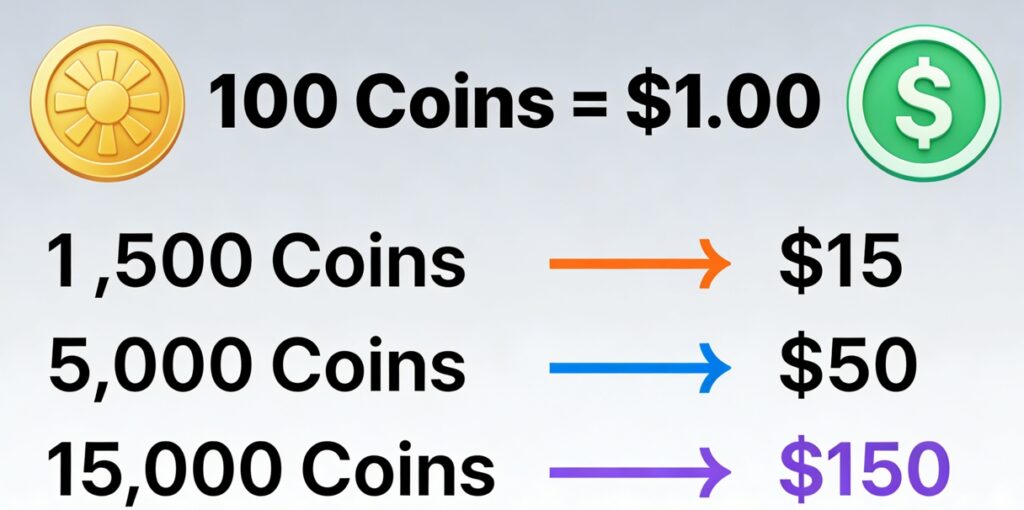
- 100 Coins = $1.00 USD
So for example:
- 1,500 Coins → $15
- 5,000 Coins → $50
- 15,000 Coins → $150
Pretty simple.
2. Minimum Withdrawal Requirements
Poll Pay has a minimum amount you must reach before you can cash out.
Minimum Withdrawal
- Gift Cards: 1,500 Coins (≈ $15)
- PayPal: Usually also 1,500 Coins (≈ $15), depending on your region
Some older versions allowed $5 payouts, but Poll Pay’s current system requires your first withdrawal to be at least $15.
3. How to Earn Coins on Poll Pay
Poll Pay gives you a few different ways to earn, but the main one is:
(1) Play Games
Once you open the app, look at the bottom menu—you’ll see an icon that looks like a little game machine. Tap on it.
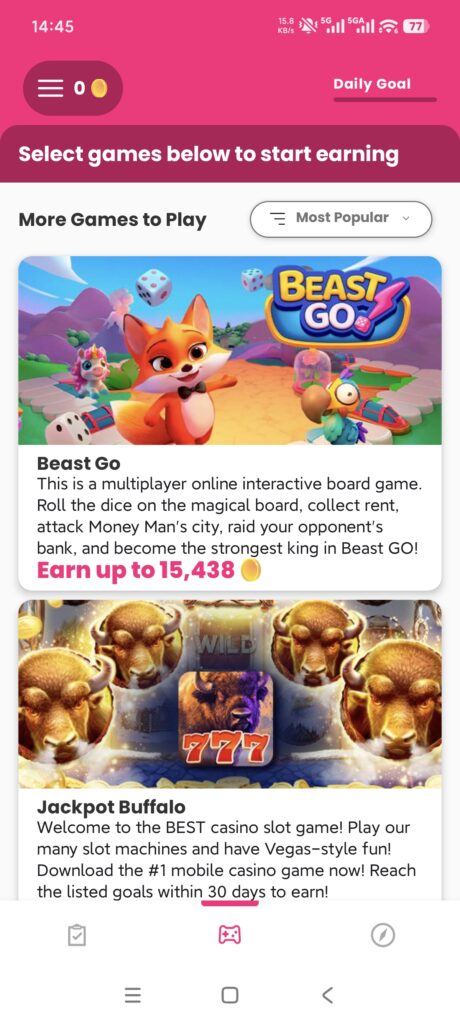
You’ll see a list of games, and each game shows:
- The maximum number of Coins you can earn
- The progress you need to make in the game
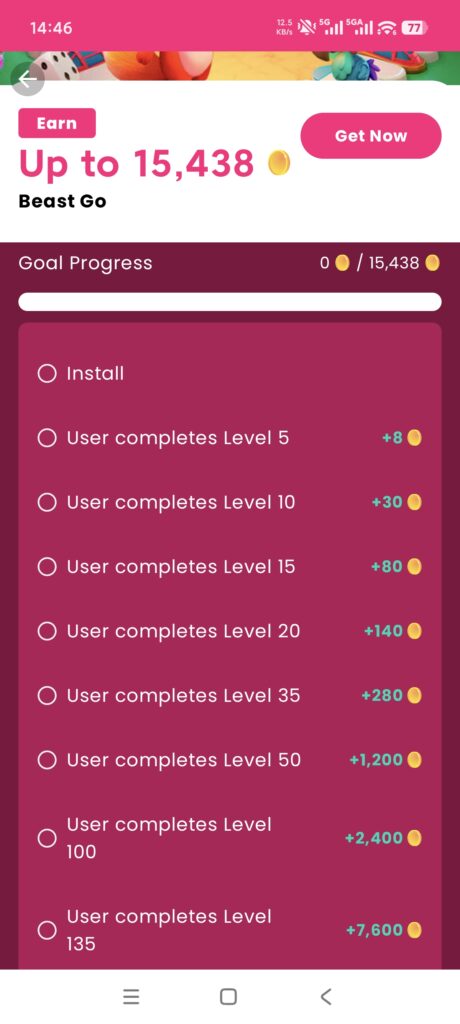
Important:
The rewards are tier-based.
You don’t get everything at once—you have to complete multiple milestones inside the game to unlock all the Coins.
(2) Try New Games
New games usually offer much higher bonuses, especially the first time you play them. If you want faster progress toward cashing out, rotating through new games is often the quickest way.
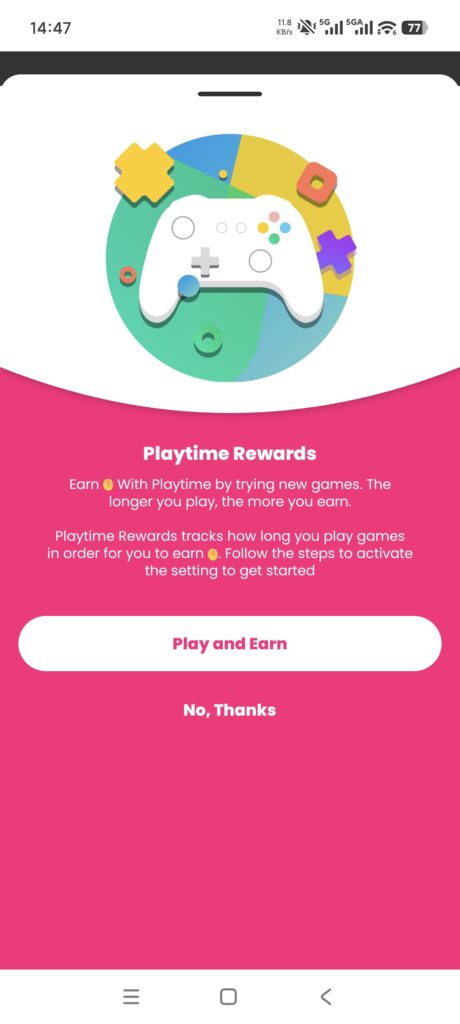
4. How to Withdraw From Poll Pay (Step-by-Step)
Here’s the full walkthrough for anyone cashing out for the first time.
Step 1 — Open the Poll Pay App
Make sure you’re logged in and your app is updated.
Step 2 — Go to the “Rewards” Page
On the bottom navigation bar, tap:
Rewards → Redeem
Here you’ll see:
- Your current Coin balance
- All available payout options
- The minimum amount required for each reward
Step 3 — Choose Your Withdrawal Method
Poll Pay offers two main cash-out options:
(1) PayPal Cash
You can send your earnings directly to your PayPal account.
Make sure:
- Your Poll Pay name matches your PayPal name
- Your PayPal account is verified (linked to a bank card or bank account)
A mismatch will cause your withdrawal to fail.
(2) Gift Cards
Common choices include:
- Amazon
- Walmart
- Starbucks
- Google Play
- Apple gift cards
Most start at $15.
Step 4 — Choose How Much to Withdraw
Poll Pay will show different cash-out amounts (e.g., $15, $20, $25).
Choose the one you have enough Coins for.
Example:
- 1,500 Coins = $15 payout
Tap Redeem to continue.
Step 5 — Verify Your Phone Number (First Withdrawal Only)
Before you can withdraw your first reward, Poll Pay will ask you to verify your phone number.
- Enter your number
- Wait for the SMS code
- Enter it in the app
This is just a security check.
Step 6 — Confirm Your Withdrawal
After you confirm:
- PayPal withdrawals are processed in 10–16 days
- Gift cards can take up to 10 days
You’ll either get an email or an in-app notification once it’s completed.
5. Poll Pay Payout Schedule
Poll Pay doesn’t process withdrawals instantly.
They follow a very specific payout cycle:
Official Payment Schedule
Your withdrawal is processed on the first Wednesday that’s at least 8 days after you submit your request.
So depending on the day you cash out, you’ll usually get your payout:
⏳ 10 to 16 days after you request it
Some users get lucky and receive PayPal cash earlier, but you should expect the official timing.
6. Important Tips Before You Withdraw
⚠️ Make sure your PayPal info matches exactly
- Same name
- Same email
If anything doesn’t match, your withdrawal will fail automatically.
⚠️ Coins cannot be transferred
Poll Pay does not allow:
- Transferring Coins between accounts
- Merging accounts
- Sending Coins to friends
- Selling Coins
⚠️ Don’t create multiple accounts
This may lead to:
- Your account being flagged
- Future withdrawals being canceled