

How to Maximize Earnings and Cash Out Faster With JustPlay
JustPlay has gained a lot of attention because of its straightforward approach to turning game time into cash. However, as with most apps that reward you for playing, users often find themselves wondering how to maximize their earnings and speed up the cashout process. I decided to dig into the app, test various strategies, and see how much of a difference they made in my earnings.
In this review, I’ll walk you through the best ways to earn more coins efficiently, speed up the cashout process, and ensure that you’re getting the most out of your time with JustPlay.
Main Screen and Featured Games: Where to Focus
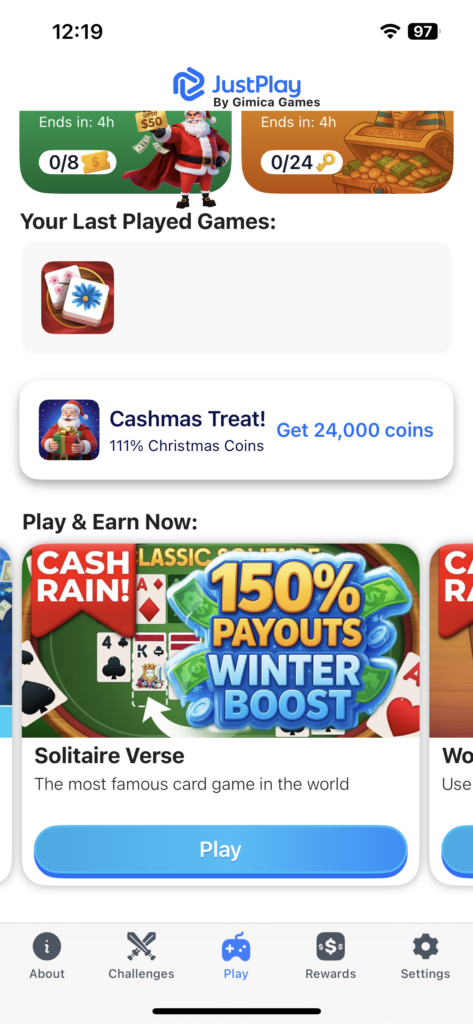
When you first open JustPlay, you’ll notice several games displayed on the main screen. While it may seem tempting to play any game, focusing on the featured games is the most effective strategy. These games are the ones the app promotes, meaning they typically offer higher coin rewards or special bonuses for players who choose them.
Featured games are not just highlighted for promotional reasons. Playing these games regularly increases the chances of earning more coins per minute. If you’re serious about making money with JustPlay, prioritize these games and aim to complete their in-game challenges or levels.
How the Coin System Works: Earning Points and Watching Ads
One of the most critical things to understand in JustPlay is the coin-to-cash conversion system. It’s not just about playing a lot — it’s about playing strategically.
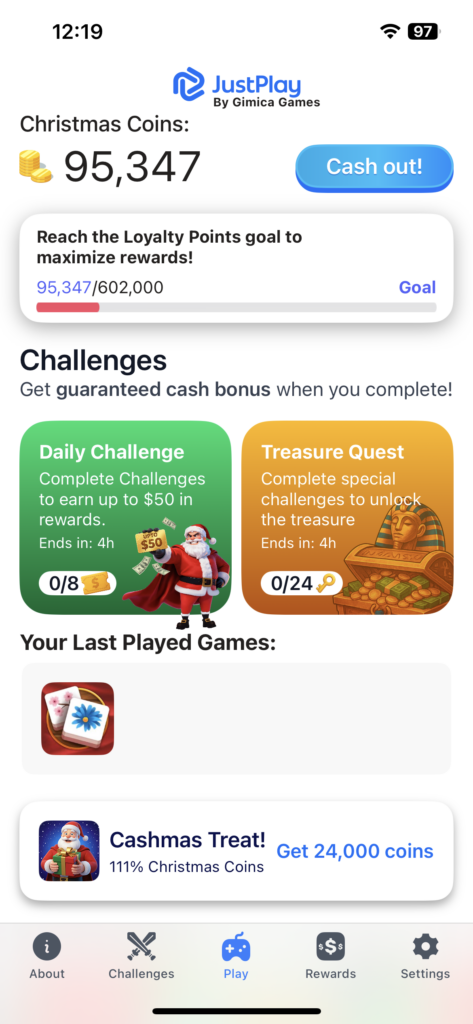
As you play games, you’ll start collecting coins. Sometimes you’ll be notified via a popup, letting you know how many coins you earned for completing a task or level. You may also earn coins through ad-based rewards, which offer a higher payout if you choose to watch short ads in exchange for more coins.
Here’s a tip:
- Maximize your earnings by watching ads when the app offers them. You can easily boost your coins without needing to invest extra time.
While it might feel like you’re slowing down the process with ads, in reality, it’s a solid way to increase your coins without needing to grind out hundreds of levels.
Task List: Daily and Weekly Tasks for Bonus Coins

One of the best ways to increase your earnings without extra effort is by completing daily and weekly tasks. These tasks are spread across different games within the app. When you complete them, you earn extra coins — sometimes a lot more than just playing the game.
Some examples of tasks:
- Complete a level in a featured game
- Play for a certain number of minutes
- Complete multiple daily challenges
The weekly tasks are especially rewarding, often offering significant bonuses for users who complete them in full.
By sticking to this task list, you’ll steadily increase your earnings and make sure that you’re earning more coins consistently.
Countdown and Cashout: Why It’s Crucial to Keep an Eye on the Timer
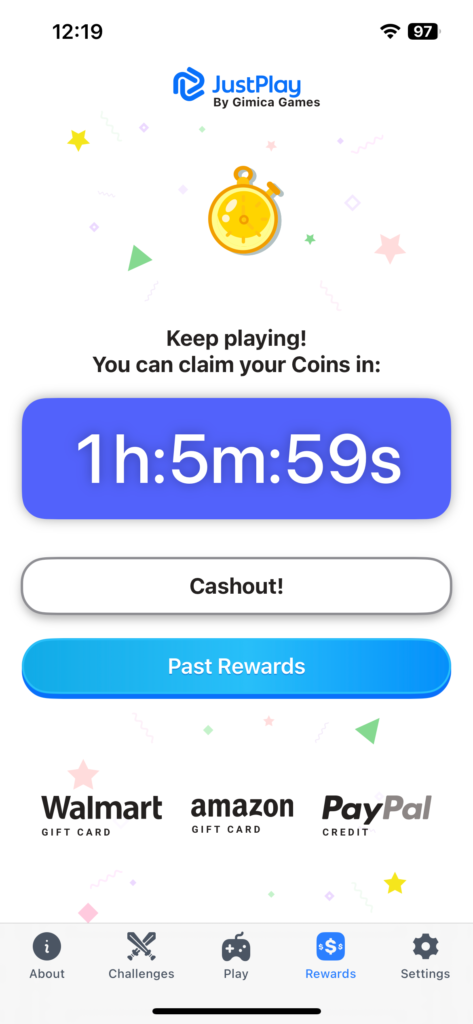
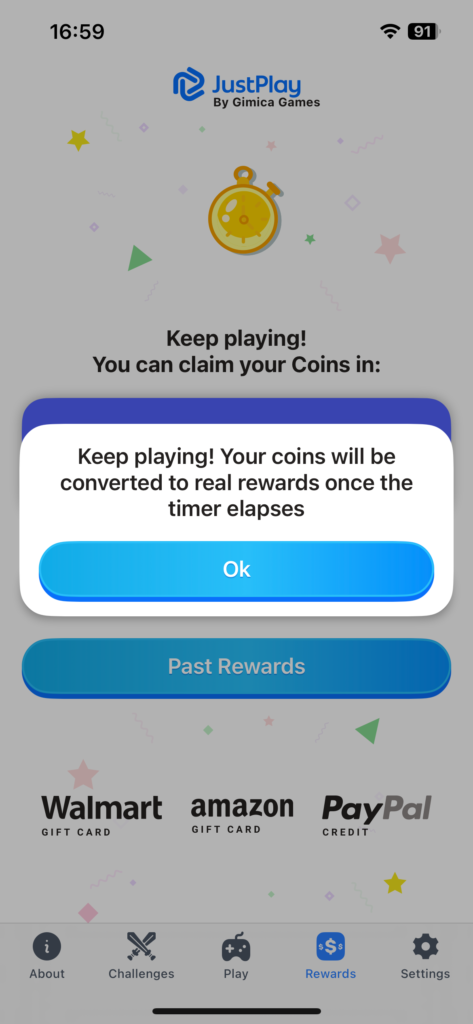
The countdown system in JustPlay is one of the features that sets it apart. You don’t earn cash immediately — instead, you accumulate coins, and they convert into cash once the countdown ends. This process typically takes 3 hours for each round.
What this means is that:
- You need to maximize coin collection during each countdown
- The more you play and the more ads you watch during this period, the higher your coin balance will be at the end
This timer isn’t something you can ignore if you want to cash out faster. While it may seem like a small part of the app, it’s essential to use your time wisely during the countdown to maximize your rewards.
Cashing Out: How to Withdraw Your Earnings

Once your coins are ready for cashout, you can head to the PayPal section of the app. JustPlay has made it really easy to set up PayPal as your withdrawal method. You’ll need to link your PayPal account to your JustPlay profile before you can cash out.
One thing to keep in mind:
- The minimum withdrawal threshold is $30, so you need to earn a fair amount of coins before cashing out.
But the transparency of the conversion rate and the clearly displayed withdrawal options make the process smooth.
Setting Up PayPal and Tracking Your Rewards
In the PayPal settings section, you can see your past rewards and payouts. This is useful for tracking how much you’ve earned and how often you cash out. There’s also a contact section in case you run into any issues, which is always reassuring when you’re using apps that involve money.
One thing that stood out to me is the clear history tracking. Every payout is logged with timestamps and amounts, which is exactly what you want to see in a cash-earning app.
Conclusion: Maximizing Earnings with JustPlay
After spending some time with JustPlay, here’s what I’ve learned:
- Focus on featured games for higher rewards
- Watch ads when the app offers them — it really boosts earnings
- Complete daily and weekly tasks for bonus points
- Keep an eye on the countdown timer to maximize your coin conversion
- Cash out through PayPal once you’ve reached $30
JustPlay works best for users who enjoy casual gameplay and don’t mind a little patience. While the payouts aren’t immediate, the clear conversion system, daily/weekly rewards, and multiple payout options make it an easy app to integrate into your daily routine.
For new users, JustPlay is an accessible way to turn gaming into small, manageable rewards.